
Virtual Staging
Virtual Decluttering vs Virtual Staging: A Room-by-Room Guide
Choose the right treatment for each listing photo: keep existing furniture, remove temporary clutter or stage a vacant room. Learn what to verify before delivery.
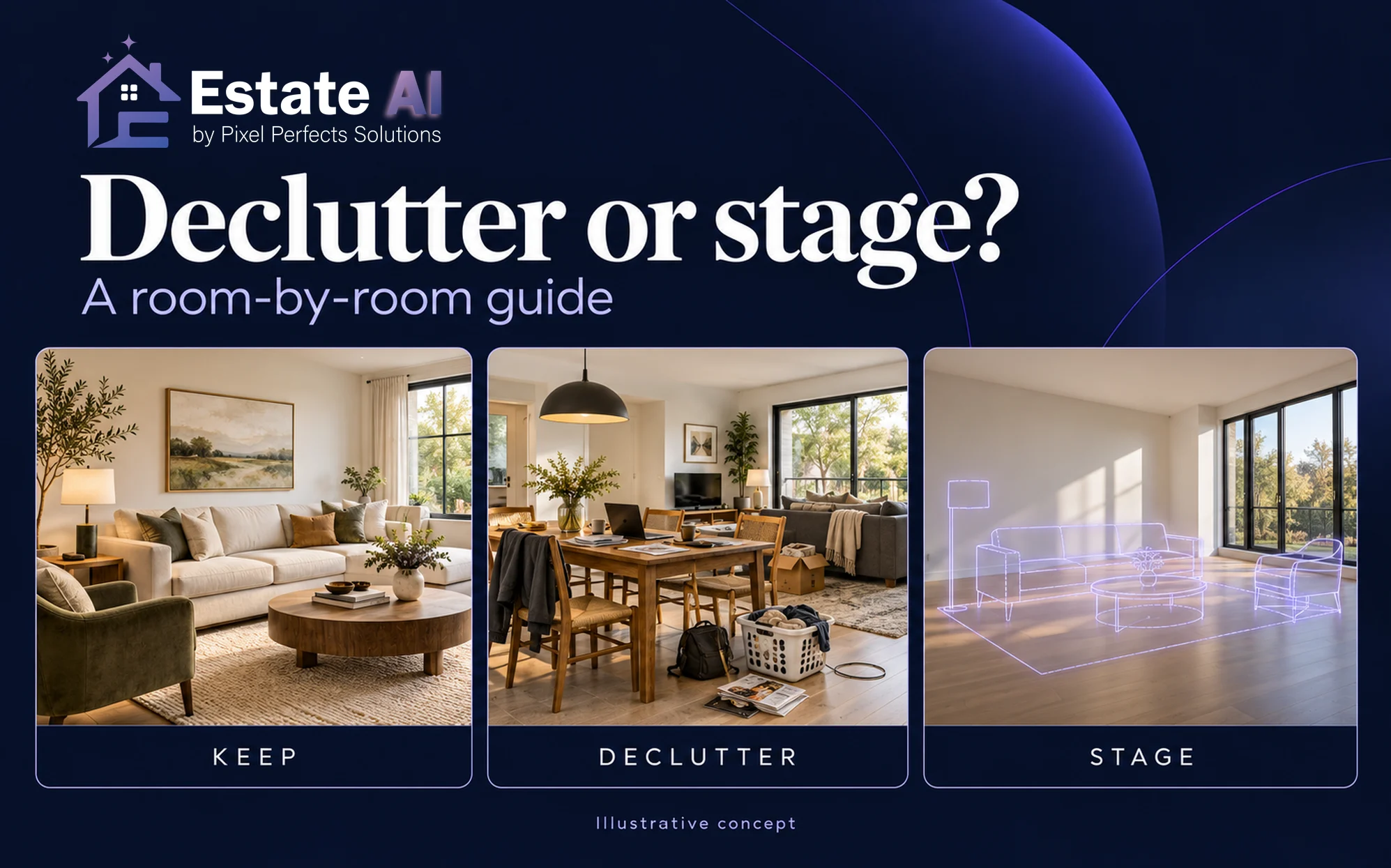
Virtual decluttering, sometimes called digital decluttering, and virtual staging solve different problems in real estate listing photos. Decluttering removes selected distractions from a photographed room. Staging adds a possible furniture arrangement. A room that already looks clear and well furnished may need neither.
The useful question is: What does this particular photo need to communicate? Choose the smallest change that helps a buyer or renter understand the space while keeping the property’s real features and condition clear. This guide gives agents and photographers a room-by-room decision process, including when to keep the existing furniture and when another photograph is the better option.
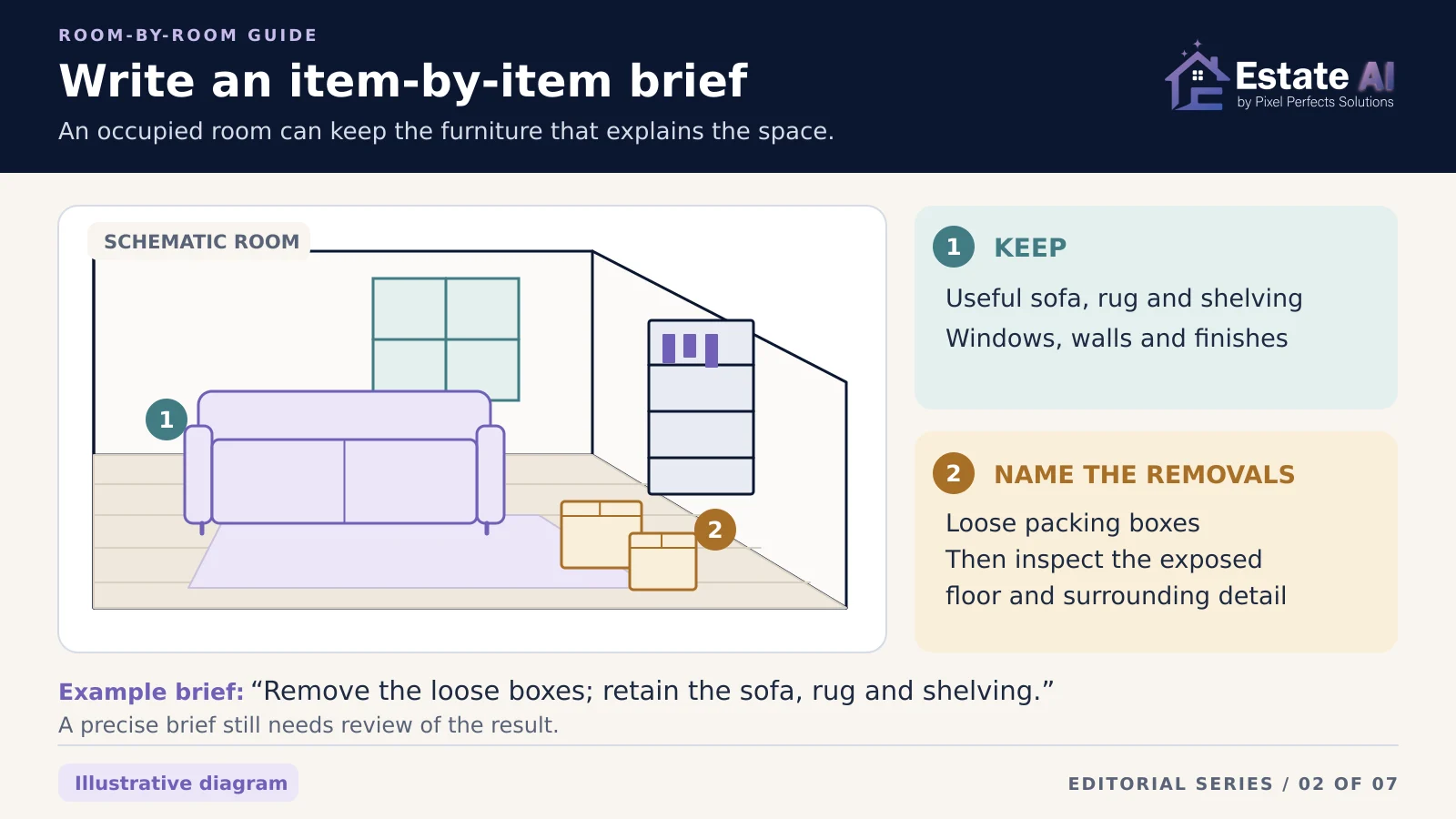
The cover and diagrams are illustrative editorial visuals, not customer properties or demonstrated EstateAI before-and-after results.Virtual decluttering vs virtual staging: the short answer
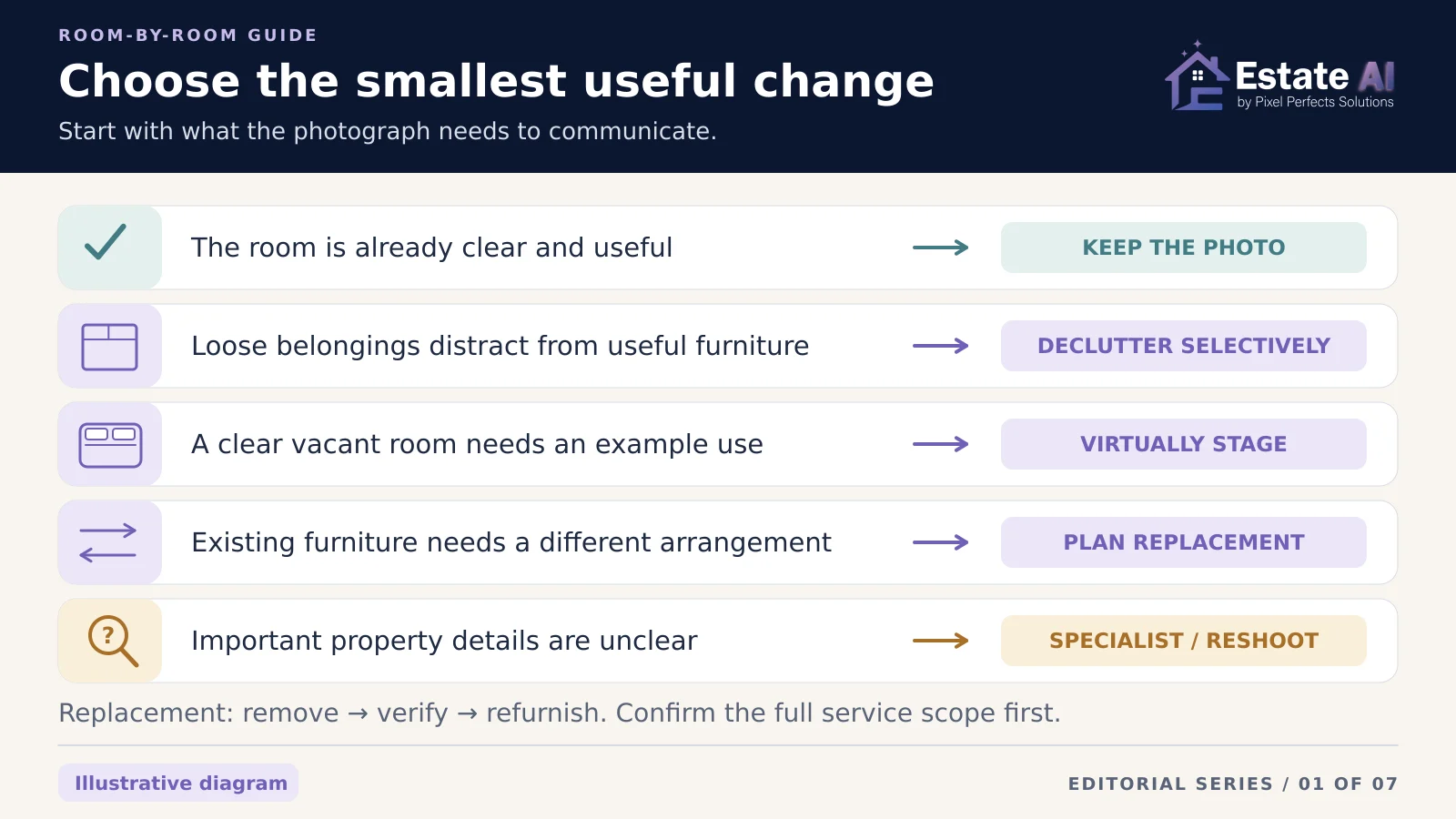
- Keep the photograph: The existing furniture explains the room, important surfaces are visible, and the composition is already useful.
- Declutter selectively: Temporary belongings distract from an otherwise suitable furnished room.
- Virtually stage: A clear vacant room needs furniture to illustrate a possible use or arrangement.
- Plan a separate furniture-replacement edit: The current furniture needs to be removed before a different arrangement can be shown. Confirm the service supports that specific task.
- Recapture or seek specialist review: Objects hide important features, the source is unclear, or a proposed edit would misrepresent the property.
A single listing can contain all five decisions. Applying the same transformation to every room creates work without necessarily making the gallery more useful.
Start with the room, not the editing tool
A furnished living room that already works
If the sofa and chairs show the seating area clearly, keep them. Before the shoot, tidy loose possessions with the occupant’s permission and check the composition. A few everyday objects are not automatically a reason to replace the entire furnishing scheme.
For an existing photo, identify the specific distraction before requesting an edit. “Remove the loose packing boxes beside the sofa; retain the sofa, rug and shelving” is a clearer brief than “make the room look better.” These are editing-brief examples, not promises that any tool will follow every instruction perfectly.
An occupied bedroom with distracting belongings
Clothes on a chair or boxes near a doorway can be candidates for selective cleanup, subject to the listing’s rules and permissions. Keep the furniture that explains the room when it is useful. Inspect any floor, wall or doorway area that becomes visible after removal.
If the belongings cover a large part of the room, physically tidying and photographing it again may give you a more reliable source. Digital removal cannot establish the actual condition of something the camera never saw.
A vacant living room or bedroom
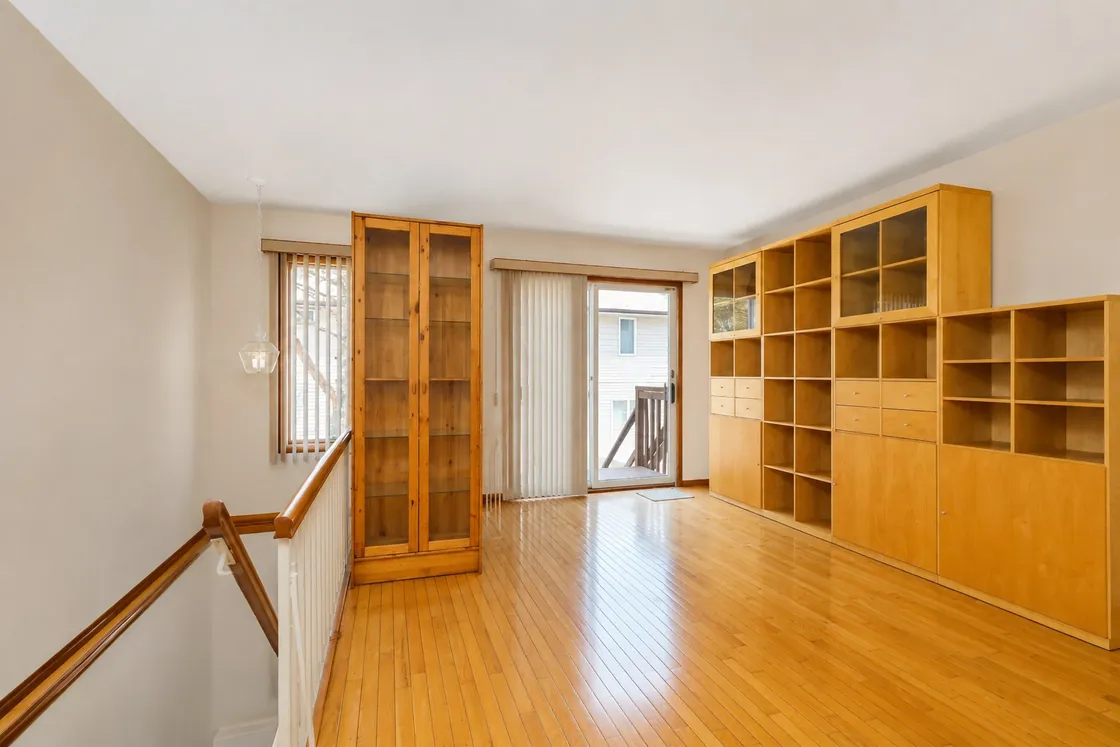
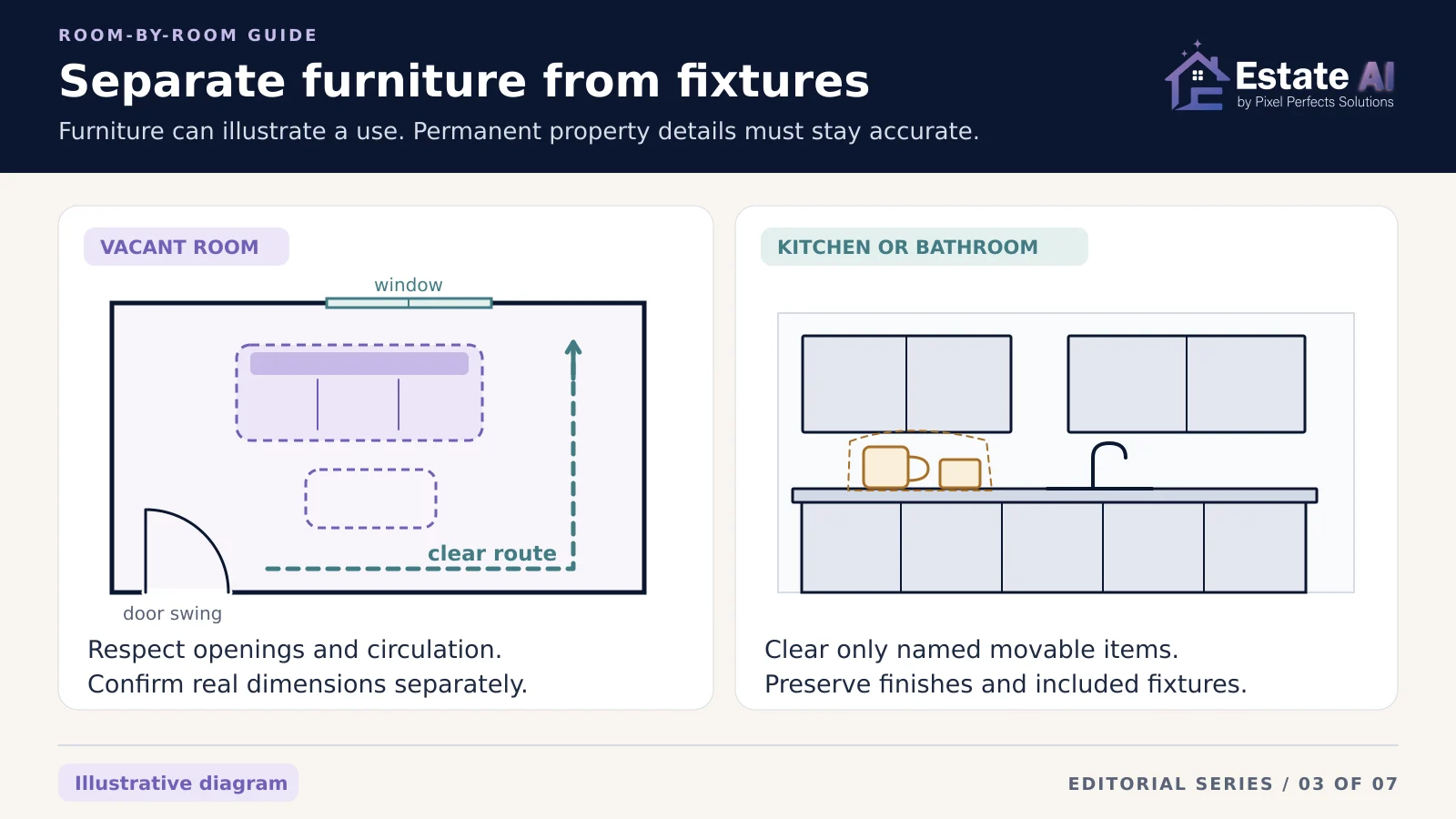
Consider staging when a furniture arrangement would help explain the space. Start with a clear image showing the room boundaries, doors and windows. Use plausible furniture proportions and leave believable circulation space.
A staged image illustrates an arrangement; it does not prove that a particular sofa or bed will fit. Verify dimensions separately when fit matters. For the wider agent workflow, see the EstateAI guide to virtual staging for real estate agents.
A kitchen or bathroom
Focus the brief on presentation of the existing finishes and fixtures. Clearing a movable countertop item is a different task from changing cabinetry, appliances, tile, taps or built-in storage. Identify what stays before the edit, then compare those details afterward.
Do not remove an item merely because it looks dated if doing so changes what the property includes. Ask the listing professional to resolve uncertainty about fixtures or included items before processing the image.
The hidden-surface check: what was behind the object?
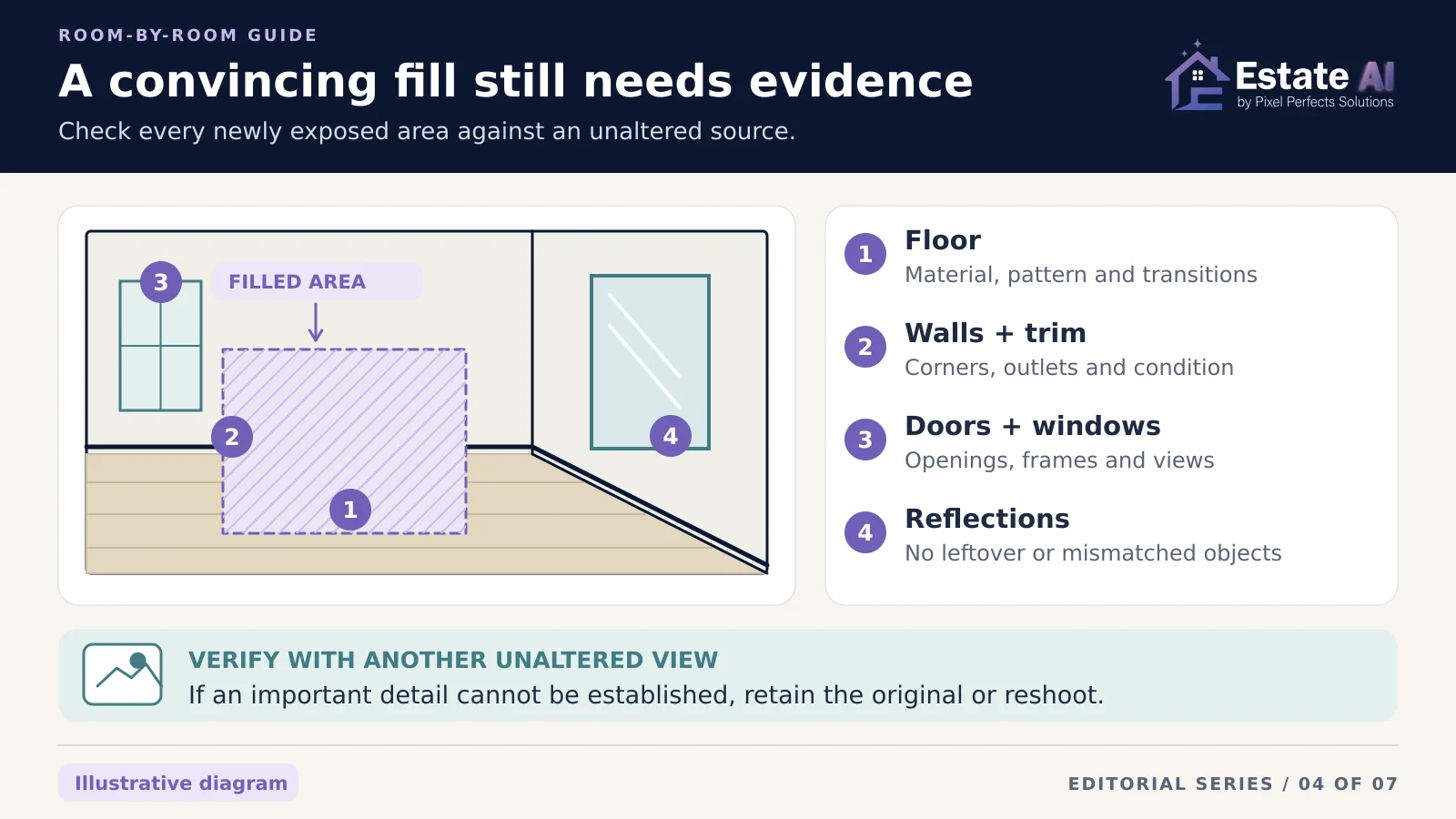
Removing an object requires filling its former area. Adobe’s Generative Remove documentation, for example, describes generating replacement content that blends with the image. That explains why a convincing fill is not evidence of the surface that was actually behind a sofa or cabinet.
Our editorial recommendation is to treat newly exposed areas as verification points:
- Flooring: Check the material, board direction, grout lines, transitions and visible wear.
- Walls and baseboards: Check corners, trim, outlets, vents and any documented damage.
- Doors and windows: Keep the opening, frame and view consistent with the source.
- Mirrors and glossy surfaces: Look for leftover reflections of removed objects or reflections that no longer match.
Use another unaltered photograph or verified on-site reference when the original view does not show enough. If you cannot establish an important detail, retain the original presentation, choose another angle or recapture. Repeatedly generating a more attractive replacement does not resolve that uncertainty.
When an occupied room needs a different furniture arrangement
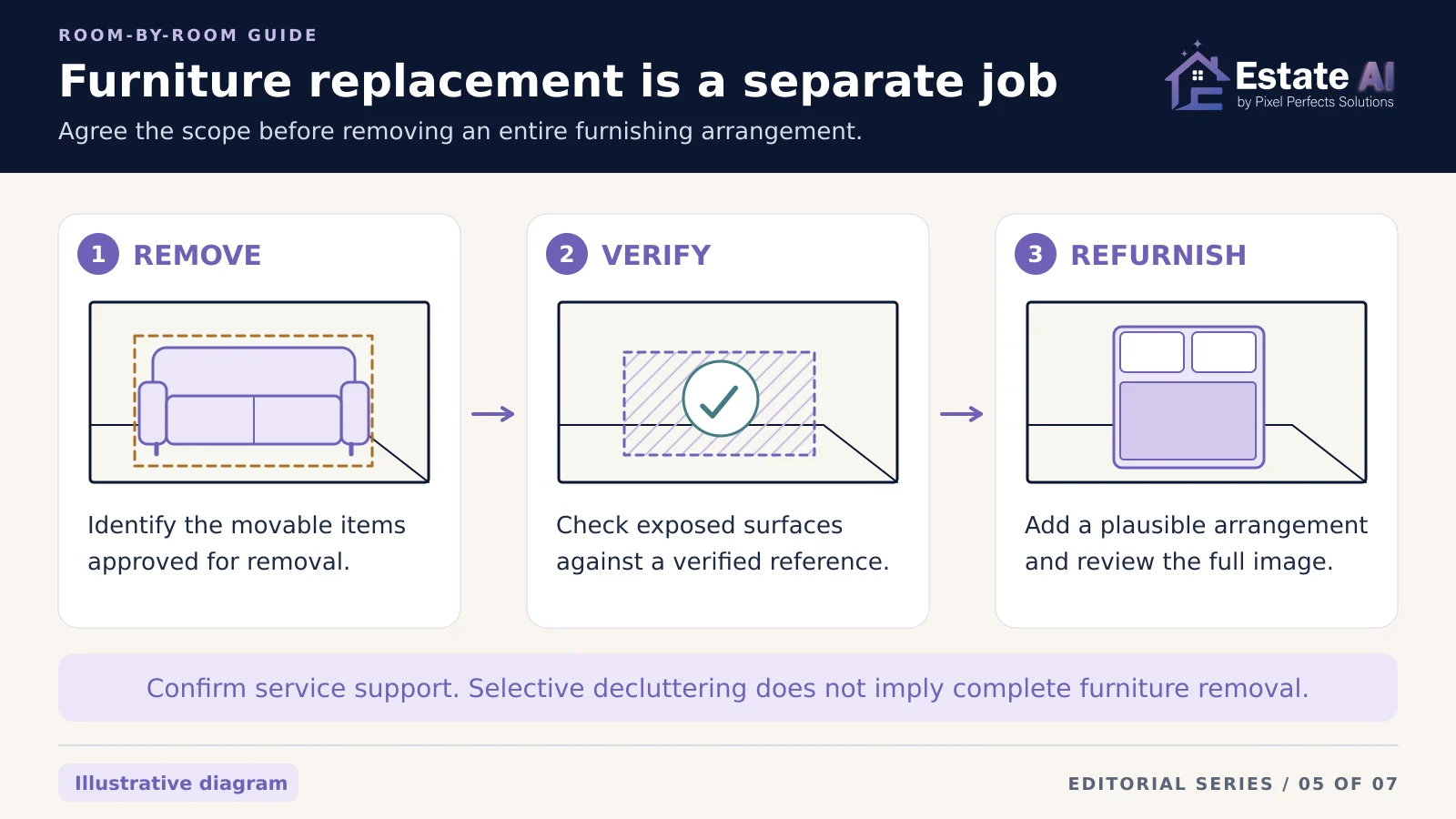
Furniture replacement is a more extensive job than clearing temporary clutter. The workflow may require removing the existing furniture, checking the exposed surfaces, and only then adding a new arrangement.
BoxBrownie’s furnished-listing workflow treats item removal as a distinct part of the staging request. That is a useful reminder to check the actual scope of the service you choose. “Declutter,” “empty the room” and “replace furniture” are not interchangeable product promises.
Before requesting replacement, agree on:
- Which movable items can change and which must remain.
- How the underlying floor and wall details will be verified.
- What the room will look like at a viewing, so the listing professional can set accurate expectations.
- Which disclosure and original-image requirements apply to the publication destination.
When physical preparation is practical, a fresh vacant-room photograph can reduce the amount of reconstruction needed.
A practical EstateAI workflow
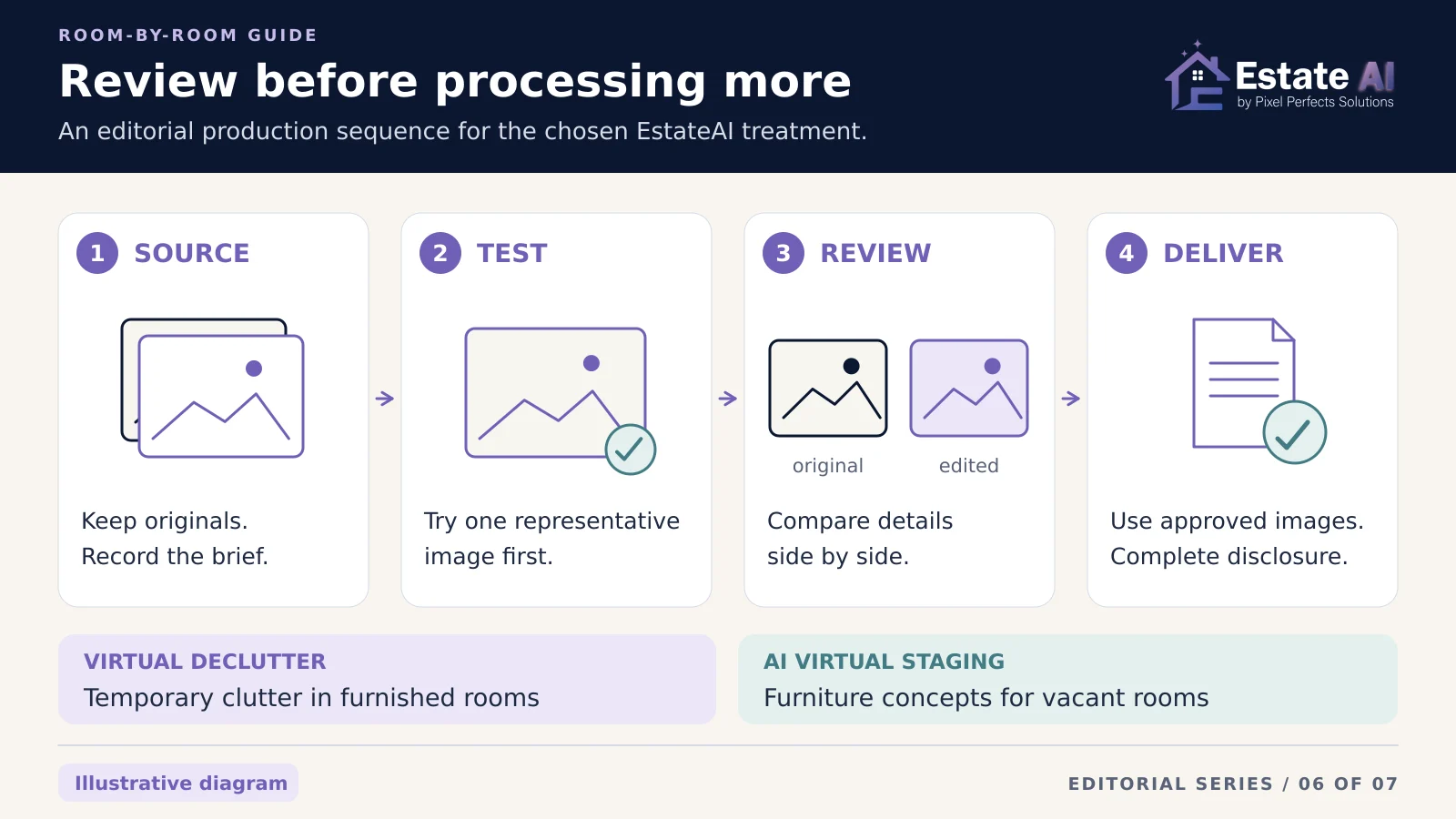
EstateAI’s published Virtual Declutter service is designed to remove temporary clutter and personal distractions while preserving permanent features and the intended furnished space. Its AI Virtual Staging service is designed for vacant-room photographs. Choose between those scopes before processing.
Do not assume that Virtual Declutter automatically empties a fully furnished room. If the brief calls for complete furniture replacement or precise reconstruction, confirm the appropriate workflow with EstateAI support or arrange professional editing.
- Organize the sources. Keep the original photos and note the intended treatment for each selected view.
- Test one representative image. Check that the chosen treatment solves the actual presentation problem before applying it more widely.
- Review against the source. EstateAI keeps generated versions connected to their source photos. Check both the changed region and the surrounding property details.
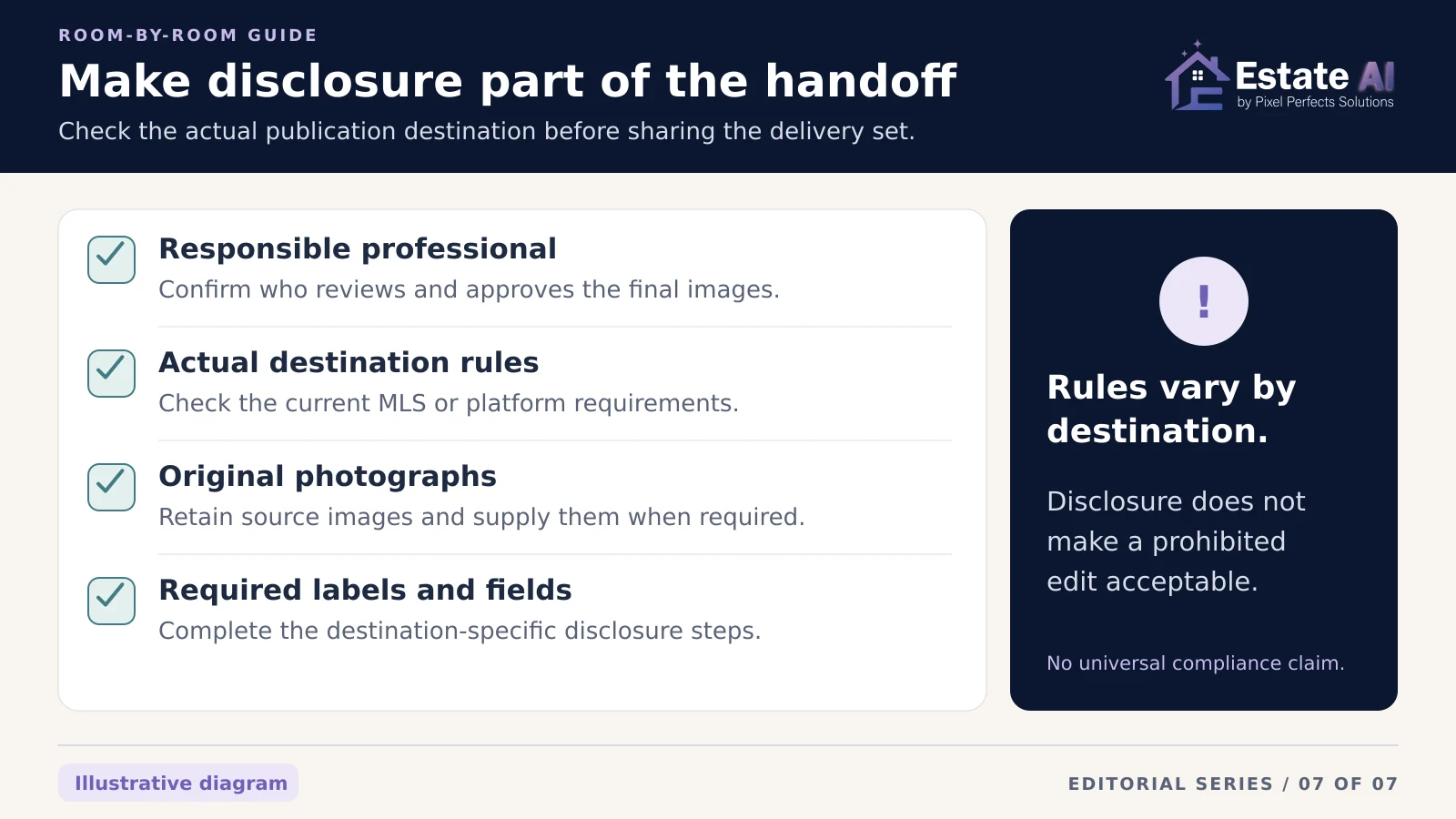
- Select the delivery set. Include only approved images, preserve originals, and complete the destination-specific disclosure checks before sharing.
Use the AI real estate photo editing quality-control checklist for a broader final review. Check current EstateAI pricing and the displayed credit estimate before processing; this guide does not assume a fixed cost for multiple treatments or revisions.
Disclosure depends on where the photos will appear
Confirm current requirements with the responsible listing professional and the actual MLS or publication platform. Do not assume that one label, caption or workflow works everywhere.
For a specific example, Stellar MLS Article 04.04 permits certain furniture changes but prohibits altering permanent fixtures, hiding negative property features or distorting room dimensions. It also specifies disclosure fields and public-remarks wording. Those are Stellar’s requirements, not a universal rule for every market.
Keep the distinction between movable contents and the underlying property explicit. A disclosure does not make an otherwise prohibited edit acceptable. This article is an editorial production guide, not legal advice or compliance certification.
A room-by-room brief you can use
Write one short entry per chosen view:
- Photo and room: Identify the source clearly.
- Purpose: State what the buyer should understand better.
- Decision: Keep, selectively declutter, stage, obtain specialist review or reshoot.
- Allowed changes: Name the movable items or proposed furniture arrangement.
- Preserve: List permanent details and existing furnishings that must remain.
- Evidence and approval: Record the reference for hidden surfaces and who checks the final result.
- Delivery: Specify the approved version, originals and destination-specific disclosures.
The strongest choice is the one that makes the room easier to understand without asking the edited image to establish facts that the source cannot support. Begin with the room’s actual state, make a precise brief, and stop when the photo communicates the space clearly.
Sources and public service descriptions checked October 16, 2026. Workflow examples are editorial recommendations, not results from a customer case study or a hands-on benchmark. No sales, speed or ranking outcome is guaranteed.