STEP 01
Create a property and upload once
One organised source library
Loading the latest property data and media.


Stage vacant rooms
Add realistic, listing-ready furniture while preserving the original architecture, perspective and permanent fixtures. The service runs inside the EstateAI Property Workspace, where the source photo, job status, credit use, generated versions, sharing and delivery remain connected.
Try it before signup
Upload one property photo and experience the real EstateAI AI workflow. The preview is watermarked; create a free account to claim the clean result without generating it again.
Stage a vacant room with realistic, listing-ready furniture.
Service overview
A specialised real estate image workflow should be clear about the intended transformation, preservation boundaries and best-fit use cases.
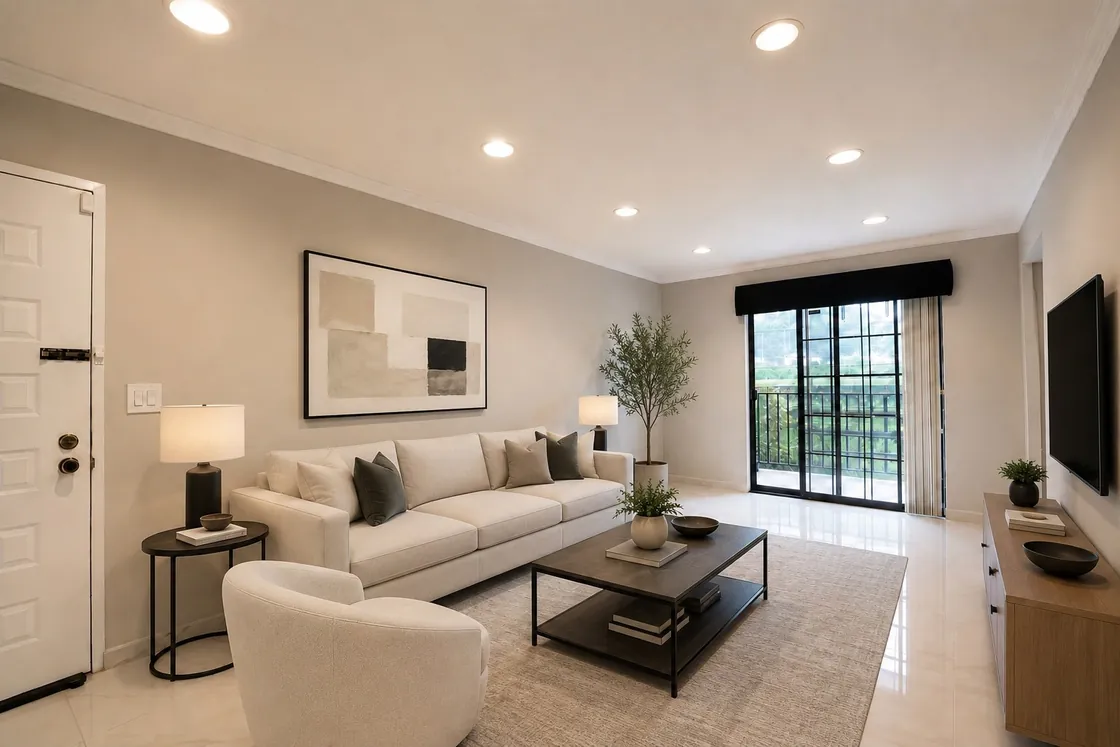
Add realistic, listing-ready furniture while preserving the original architecture, perspective and permanent fixtures.
A property photo clearly matches the purpose of ai virtual staging and the requested change can be defined without creating a disconnected manual workflow.
The original photo, selected service, job progress, output versions, credit activity and final download or share remain attached to the property.
Users choose the source images and review outputs before final delivery. Complex exceptions can be escalated to Pixel Perfects professional editing.
How the service works
Run ai virtual staging on photos that are already organised inside a property.
STEP 01
One organised source library
STEP 02
Less manual categorisation
STEP 03
Clear credits before processing
STEP 04
Nothing gets lost between tools
STEP 05
Client-ready delivery
Production safeguards
EstateAI combines preservation-oriented instructions with durable job tracking and connected version management.
Service-specific instructions define what may change and what property details should remain stable.
Queued, running, completed, partial and failed states remain visible after the original request ends.
Generated results are stored as versions of their source photo for clear comparison and selection.
If the request needs human judgement or precise custom revision, it can move to professional editing.
AI virtual staging for real estate
EstateAI is designed for agents and photographers who need more than an isolated image generator. Stage selected vacant rooms, keep every result tied to its source photo and continue to pricing, review and delivery without rebuilding the job elsewhere.
Help buyers understand vacant living rooms, bedrooms, dining areas and flex spaces while keeping the property itself recognisable.
Learn moreStage selected angles from a complete shoot, review versions and keep final client delivery connected to the original property.
Learn moreVirtual staging currently uses 3 EstateAI credits per generated result. Plan recurring volume with subscriptions or add credits for larger jobs.
Learn moreVirtual staging decisions
AI staging is designed for fast digital presentation; traditional staging uses physical furniture, logistics and on-site setup.
AI virtual staging is particularly useful when a listing needs quick digital context for vacant rooms. Traditional staging can still make sense when buyers need to physically experience furnished spaces. Many professional teams use both approaches depending on the property and marketing goal.
Frequently asked questions
Clear answers for agents, photographers and property marketing teams evaluating the service.
Yes, but agents should follow MLS disclosure requirements and the rules that apply in their market.
EstateAI currently uses 3 credits per generated virtual staging result. The monetary cost depends on the subscription or credit pack supplying those credits.
Yes. EstateAI's virtual staging workflow is designed to preserve architecture, perspective, room proportions and permanent fixtures while adding realistic furniture and decor.
Inside the Property Workspace
EstateAI combines processing with photo organisation, team access, gallery review, downloads, sharing, notifications, storage and billing.
Upload from multiple folders, review room groups and choose exactly which photos should be treated.
See estimated credits, follow job progress and continue working elsewhere in the property.
Compare versions, choose favourites, download selected files or create a curated share link.
One property. One intelligent workspace.
Upload once, apply the services you need, review every version and deliver with confidence.