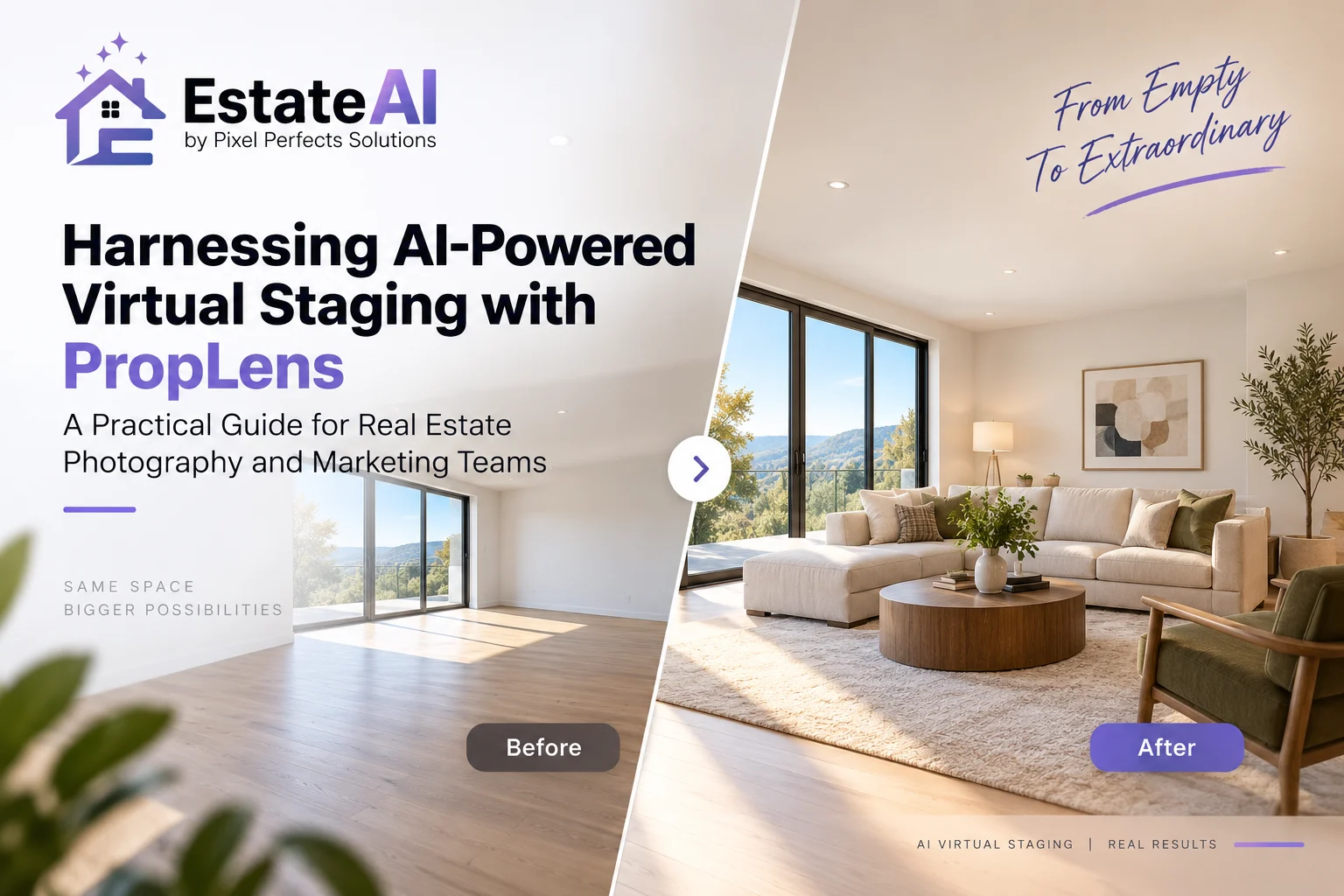
AI-Powered Virtual Staging with PropLens: A Practical Guide for Real Estate Teams
Discover how the recent launch of PropLens, an AI-powered camera and staging app, is shaping a new era in virtual staging. Learn practical workflows, integration tips, and how to leverage AI-driven enhancements effectively alongside EstateAI’s comprehensive real estate marketing platform.
AI-Powered Virtual Staging with PropLens: A Practical Workflow for Real Estate Teams
Introduction
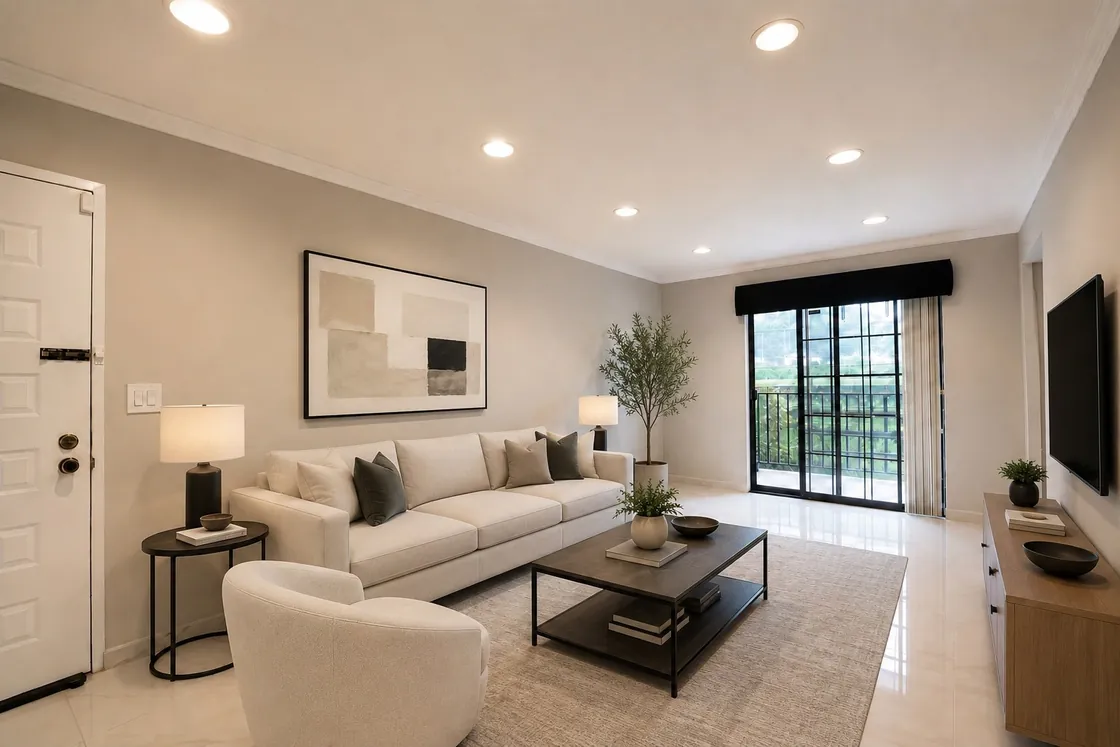
AI-powered virtual staging helps real estate professionals show how vacant rooms could function without moving physical furniture into the property. Combined with well-composed photography and careful review, it can support a clearer online listing presentation.
PropLens, from Virtual Staging Art, brings guided property photography and image treatments into a mobile workflow. EstateAI offers a separate property-focused workspace for organizing photographs, applying selected AI services, comparing versions and preparing media for delivery.
This guide explains how photographers, agents and marketing teams can approach these tools responsibly, keep their source photographs organized and avoid unnecessary processing.
What Is PropLens?
According to its published product information, PropLens offers guided property capture and virtual staging tools. Its App Store listing describes room-by-room capture guidance, furniture removal, photo editing and before-and-after review.
These capabilities can help users plan their photography and prepare selected images for property marketing. However, capture guidance does not replace good lighting, accurate framing or professional judgment.
Before choosing the app for a client project, check its current supported devices, export options, pricing and usage terms.
Choose the right treatment for each listing photo: keep existing furniture, remove temporary clutter or stage a vacant room. Learn what to verify before delivery.
The launch of PropertyAdvice.ai's no-login, no-subscription AI-driven virtual staging platform signals a significant shift in how real estate marketing teams and photographers approach virtual staging. This article explores practical impacts for agents, photographers, builders, and marketing teams, highlighting streamlined workflows, greater accessibility, and integration potential with platforms like EstateAI.
Discover how enhanced listing services that combine professional photography, Zillow 3D tours, and virtual staging are transforming real estate marketing workflows for agents, photographers, and marketing teams — and how to leverage AI-powered tools like EstateAI to create compelling property presentations.
Harnessing AI-Powered Virtual Staging with PropLens: A…
A practical approach is to use a capture tool for the shoot, then organize suitable exported files in EstateAI when additional photo processing or delivery management is needed.
This is a proposed manual workflow. It should not be presented as a direct integration, automatic synchronization or partnership between PropLens and EstateAI.
A Practical Workflow for Property Photography and Virtual Staging
1. Capture the Property Accurately
Start with clear photographs that show room layout, windows, doors and permanent fixtures.
Keep the camera level, avoid excessive wide-angle distortion and capture useful angles rather than many nearly identical images. Guided shot planning can help organize coverage, but review each photograph before leaving the property.
Keep original, unstaged photographs available throughout the project.
2. Organize the Source Files
Separate original photographs from edited or staged versions. Use consistent filenames and property folders so the team can identify the source of each result.
When moving files between tools, confirm that the exported format and resolution meet the receiving platform’s requirements.
Within EstateAI, keep selected photographs connected to the relevant property rather than creating disconnected projects for every treatment.
Avoid applying every available service to every photograph. Choose treatments that clarify the property’s presentation.
4. Stage Selected Vacant Rooms
Prioritize rooms where furniture helps explain scale and function, such as living rooms, bedrooms and dining areas.
Choose an appropriate furniture style and inspect the result for believable proportions, placement and access. Furniture should not block doors, hide important fixtures or make the room appear larger than it is.
Where possible, generate a treatment from the original photograph rather than repeatedly transforming an already processed version. This makes comparison and quality control easier.
5. Review Every Result Against Its Original
Compare the processed image with the source photograph before approval.
Check that:
Walls, windows and doors remain accurate.
Permanent fixtures and materials have not changed unintentionally.
Furniture fits the room and camera perspective.
Reflections, shadows and object edges look believable.
The image does not conceal a material property condition.
EstateAI’s connected version workflow supports comparison and selection, but the final review remains a human responsibility.
6. Prepare Approved Media for Delivery
Select the versions approved for the intended use. Keep original photographs available alongside transformed images where required.
Download or share the approved files, then prepare them for the listing portal, website, social campaign or client handoff. Check each destination’s image specifications and disclosure requirements.
Additional treatments should serve a clear purpose.
Image Enhancement
Use image enhancement when exposure, white balance, color or clarity needs correction. Preserve the photographed property and review the result for natural presentation.
Virtual Decluttering
Virtual decluttering can remove temporary distractions from selected photographs. Review removals carefully so they do not hide permanent features or relevant property conditions.
Interior Redesign
AI interior redesign explores alternative furniture and décor arrangements. Present these results as design visualizations rather than photographs of an existing furnished interior.
Day-to-Dusk Editing
Day-to-dusk photo editing creates a twilight-style exterior presentation. Review lighting, windows and architectural details before using the result.
Explore the complete EstateAI AI services to select the workflow appropriate to your image.
Best Practices for Photographers and Marketing Teams
Preserve Originals
Original photographs provide the reference needed to review edits, resolve questions and distinguish existing conditions from visual transformations.
Establish a Clear Approval Process
Assign responsibility for image review and final approval. Keep draft concepts separate from listing-ready files.
Maintain Consistency Across the Property
Review furniture style, color treatment and lighting across the complete listing. Individually attractive images can still feel inconsistent when viewed together.
Check Image Rights
Confirm that you have permission to upload, edit and publish the photographs. Review the relevant tool’s terms before using client media.
Follow Disclosure Requirements
Check the applicable listing platform, MLS and local requirements. Clear disclosure is important, but it does not automatically make every transformation acceptable.
Virtual staging changes the marketing image. Physical staging changes the space visitors experience during a viewing.
The right approach depends on the property, budget and marketing plan. A vacant listing may benefit from digital furniture in selected photographs, while another property may require an in-person furnished presentation.
AI-powered capture and staging tools can support property photography, but the strongest workflow still depends on accurate source images, deliberate treatment selection and careful review.
PropLens can serve as a mobile capture and editing option. EstateAI can support a separate property-based workflow for selected image services, version comparison and delivery.
Keep originals, check exported files and approve each transformation before publishing. These steps help teams prepare useful marketing media while maintaining a clear connection to the actual property.
Frequently Asked Questions
Does PropLens integrate directly with EstateAI?
A direct integration has not been verified. The workflow described here involves manually exporting suitable images and uploading them to EstateAI when needed.
Should I stage the same image in multiple AI tools?
Usually, choose one staging workflow for each version. Repeated transformations can make review more difficult. Keep the original photograph and compare alternatives separately.
Can virtual staging replace physical staging?
Virtual staging supports online presentation, while physical staging affects the in-person experience. Choose the approach that suits the property and marketing plan.
Can AI guarantee accurate listing photographs?
No. Review every result against the original, especially architectural details, materials, proportions and permanent fixtures.
Can virtually staged images be published on listing websites?
Requirements vary. Check the platform, MLS and applicable local rules before publishing, including labeling and original-image requirements.
How should I choose a staging style?
Consider the room’s function, property character and intended presentation. Select the style deliberately rather than assuming an AI tool can determine buyer preferences accurately.
Product support and enquiries: https://estateai.pxlperfects.com/contact
About the Author — Waqas Ahmad
Waqas Ahmad writes about real estate marketing, property presentation and digital tools, with a focus on practical workflows for agents, photographers and marketing teams.
What is the main advantage of using an AI-powered app like PropLens?+
PropLens allows real estate photographers to capture and virtually stage properties within a single app, streamlining the workflow and speeding up the marketing process without sacrificing image quality.
Can AI virtual staging replace physical staging entirely?+
While virtual staging reduces costs and staging complexity, physical staging still offers tactile and experiential benefits. Combining both approaches strategically often yields the best results.
How does EstateAI complement AI-powered staging tools like PropLens?+
EstateAI offers a full spectrum of AI-powered enhancement services, asset management, and marketing workflows that integrate with staged images to maximize their marketing effectiveness.
Are AI-staged images accepted on major listing sites?+
Listing site policies vary, but it is increasingly common to use AI-enhanced and virtually staged images provided full disclosure guidelines are met. Always verify platform-specific rules.
How do I ensure virtual staging remains ethical?+
Clearly disclose staged images in listings to maintain transparency with buyers, adhere to local real estate marketing regulations, and use photorealistic staging to avoid misrepresentation.
Can AI help customize staging style for different target buyers?+
Yes, AI platforms can analyze market segments and suggest staging styles that appeal to specific buyer personas, enabling tailored visual presentations.
EstateAI
Turn the next property into a complete marketing workflow.
Upload once. Analyze, enhance, stage, review, market, share and deliver from one connected Property Workspace.