
EstateAI Guides
How to Recover an Interrupted Real Estate HDR Bracket
One missed exposure can shift an entire batch into the wrong groups. Find the break, separate the incomplete angle, and decide what to merge or reshoot.
If a five-frame real estate HDR bracket stops after four exposures, separate those four files before merging. Do not pull in the first exposure from the next camera angle. Check whether the partial bracket contains enough usable detail for a separate treatment; if not, reshoot while you still have access. Use the original sequence, the framing and the exposure information to decide where each group actually begins and ends.
Cover: AI-generated editorial illustration, not an actual property shoot.
Work through the break in the sequence
Imagine a shoot that starts with five kitchen-island frames, DSC_4101 through DSC_4105. You move the tripod, begin a dining-room bracket and capture only DSC_4106 through DSC_4109 before someone calls you out of the room. After moving on, you capture another complete group beginning with DSC_4110 in the next room.
Each filename follows the last, so the missing intended exposure did not leave a filename gap. If you slice the folder into lots of five, DSC_4110 lands in the dining-room group. The next group then starts one frame late. A single interrupted sequence can affect more than one output. Rebuilding the groups around the actual camera angles puts the kitchen and the next room back on firm ground without guessing what happened to the dining exposure.
Separate the groups using two kinds of evidence
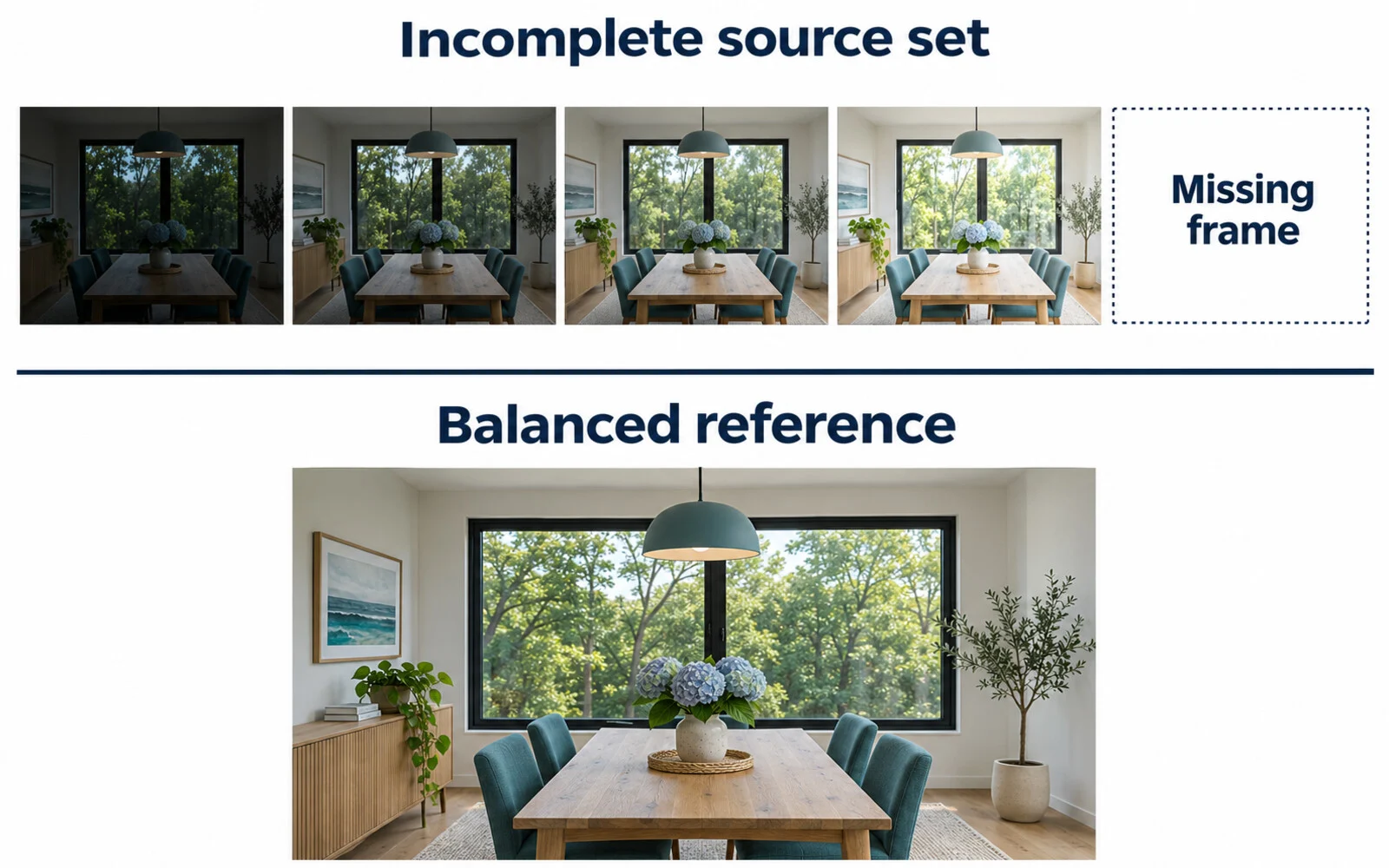
Start with what you can see. Use a contact sheet to identify an anchor that stays in the same place throughout each bracket: the corner of the kitchen island, the edge of a doorway or a distinct window mullion. A scene can look very different between dark and bright exposures, so use fixed edges as your reference, not lighting or color alone. Keep each camera angle together even when neighboring rooms share the same furniture or finish.
Then check the frame order and available exposure information. Compare the dining frames with a complete bracket from the same camera setup to see whether a distinct exposure appears to be missing or duplicated. Capture time and settings can help explain the boundary, but they cannot prove that two files show the same composition. If the source files disagree with your notes, preserve the originals and mark the set for review instead of renaming the uncertainty away.
Give the incomplete angle its own decision
- Reshoot when the picture matters: If no dining frame records usable detail in the bright window or shadowed area you need, capture that angle again, if possible. Capture a fresh complete group; do not assume you can match the camera position and scene by adding one isolated exposure later.
- Use a single frame when it works: If one original is usable on its own and represents the room accurately, keep it as a single-exposure edit rather than calling it a bracketed merge.
- Hold an uncertain set: If you cannot tell where the break happened or whether a frame belongs to the angle, leave that group out of batch processing while you confirm the source. Do not duplicate a frame to reach the expected count.
For a reshoot, use the real estate HDR photography guide to plan the exposure sequence and keep the camera position consistent.
Keep a short exception note with the original filenames, the camera angle, the issue, and your decision. In this example: “Dining, DSC_4106–4109, four captured; separate from DSC_4110; reshoot pending.” The next editor can see what to check without searching the whole shoot for a fifth frame that was never recorded. If another editor takes over, hand them the exception note with the original folder, and keep the incomplete set out of any auto-merge queue.
Merge the confirmed groups and check the results
The EstateAI HDR merge workflow supports complete three-, five- and seven-exposure groups. Its automatic grouping is designed to infer recurring exposure patterns; source verification is still valuable when capture was interrupted. Run a small check on the complete groups on either side of the break. Open the merged photos and verify each against its corresponding angle, looking at fixed edges and any moving details. Keep those reviewed results separate from the held angle. You can carry reviewed HDR photos into the property workflow without re-uploading those finished photos. HDR merge is photographic processing, separate from generative options such as virtual staging.