

Real Estate Photography
How to Write Useful Alt Text for Real Estate Photos
Learn how to write clear, useful alt text for real estate photos that describes what an image contributes to the page. Explore practical examples, decide when an image needs a description, and avoid keyword stuffing or sales language. A simple review checklist helps you make property content more accessible and informative.

Cover: Original AI-generated concept illustration. Not a real client property, tested product output or software interface.
Property photographs communicate layout, finishes, and relationships between spaces. A visitor who cannot see them still needs access to that information. Useful alt text for real estate photos begins with what each image contributes to the page, then expresses that meaning in concise, concrete language.
The W3C guidance on informative images explains that a text alternative should convey the image’s purpose or meaning in context. For a property gallery, that usually means describing the relevant room or feature rather than repeating the listing headline.
Start with the room and the useful detail
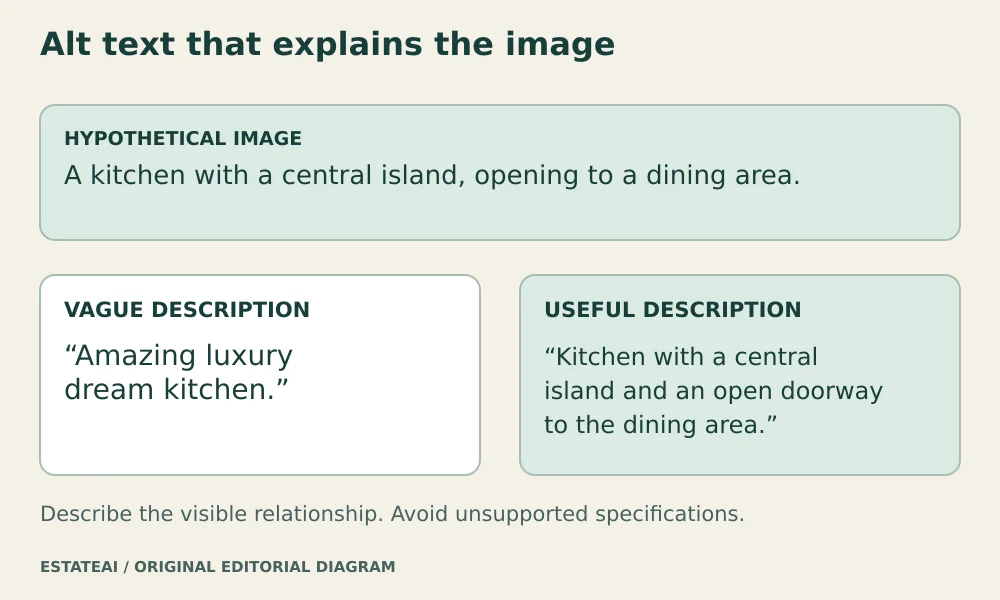
Consider a hypothetical photograph of a kitchen opening toward a dining area. “Kitchen with a central island and an open doorway to the dining area” gives the reader a relationship to understand. “Amazing luxury dream kitchen” supplies enthusiasm but little information.
Choose details that distinguish the image from the other photographs. A second kitchen angle might describe the location of the window or the connection to the living room. It does not need to repeat the same sentence with a different photo number.
Use only details you can establish. A photograph may show light-colored flooring without proving that it is solid oak. It may show a doorway without establishing its width. Avoid inferring dimensions, material specifications, compass directions, or accessibility features from appearance alone.
Match the text to the image’s role
A large listing photograph and a small navigation thumbnail can serve different purposes. If a thumbnail acts as a button, the control needs an understandable accessible name, such as “View kitchen photo.” The component’s implementation determines how its image alternative and button label work together.
W3C’s alt decision tree distinguishes informative images, functional images, and decoration. A purely decorative background may need an empty text alternative. A property photo that communicates an important feature should not be treated as decoration simply because the page already contains a general description.
Explain relevant editing context
If an image depicts digitally added furnishings, that context can affect its meaning. An appropriate example is “Virtually staged living room with a sofa arrangement facing the existing fireplace.” This makes the furnishing concept clear while describing the visible scene.
Keep important public disclosures visible too. An alt attribute is not a substitute for a caption or other disclosure required by the publishing destination. The description should also match the exact version shown. Text written for an empty-room original can become misleading when attached to a furnished visualization.
Keep descriptions concise without imposing a magic limit
W3C recommends the shortest description that communicates the purpose, and suggests a longer-description approach when a short phrase or sentence is insufficient. Its writing tips for image alternatives do not prescribe a universal 125-character ceiling.
Read each sentence aloud. Remove repeated addresses, promotional adjectives, and details already fully conveyed nearby. Usually, “photo of” is unnecessary. A distinction such as “concept illustration” can still matter when it tells the reader what kind of representation they are encountering.
Give floor plans enough space
A floor plan may convey room connections, level changes, labels, and measurements. Trying to squeeze that information into one long alt attribute makes it difficult to navigate. Use a short identification and provide an organized text description nearby or through a clearly labeled link.
That approach follows W3C guidance for complex images. Describe the meaningful sequence through the plan, transcribe relevant printed measurements accurately, and retain any existing qualifications. Do not invent measurements or claim a plan establishes accessibility.
Make the text travel with the correct version
Maintain a simple handoff record with the image filename, proposed alt text, visible caption, and editing disclosure. Assign review responsibility before publication. If the website crops an image or replaces it with another angle, revisit the description rather than carrying the old text forward automatically.
After upload, inspect the rendered page to confirm that the intended alternative reached the image or control. A description in a delivery spreadsheet is useful preparation, but its presence there does not establish that the published gallery exposes it correctly.
When preparing an EstateAI project for publication, include descriptions in the handoff to the publisher or Pixel Perfects Solutions LLC media team. For a custom website built with a developer such as Dotera, specify editable image alternatives and test the rendered gallery. Those are implementation requirements to verify, rather than assumed features of every website.